Inspiration
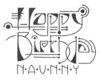
My friends Lonnie and Josh have a wonderful daughter, Rebecca. When she turned five, I asked Lonnie what Rebecca might like for her birthday. Lonnie replied ...
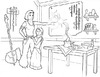
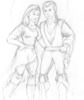
You know you don't have to do this right? But if you did really want to do something, I'd ask for a couple of simple black line drawings that we could photocopy a couple of times -- one set for her to color in, and one set for me to keep. Castles, fairies, princesses, magicians, unicorns, anything like that would make her happy. She loves to color, and I love to do art projects with her. And I miss getting to see your stuff.
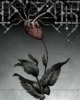
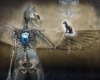
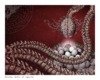
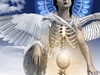
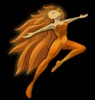
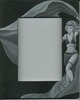
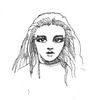
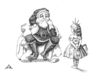
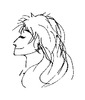
So I dug out my old fantasy artwork from high school and college -- well-worn manilla folders stuffed with an odd assortment of scribbles on sheets of plain white paper, some of which I hadn't looked at in fifteen years. I had originally intended to just clean up and photocopy the better pieces, but there weren't that many of them -- just "The Sky", the staircase from "Aunt Mealy", a creature from "The Clan Myuri", the girl from "Practicing Her Craft", and a rough study for "The Remedrium".
So most of the coloring book was done from scratch. But the final pieces seemed lonely and disjointed, so I wrote introductions for each one. And as I did, a long-abandoned world took shape again; not its original shape either, but something new, alien, even to me.
I worked in mechanical pencil, photocopied the final drafts, and delivered them in the winter of 2004. But I was never happy with the monotonic line weights. Finally, in June 2007, I scanned all eight drawings in and did the long-overdue [digital] inking.
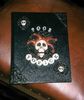
Here, then, is Rebecca's Coloring Book (12MB) as it was always meant to be seen.
Technique
Each drawing has three line weights, and was cleaned up roughly as follows:
- Scan original as greyscale TIFF, 300dpi.
- Open in GIMP, setting mode to RGB.
- Despeckle with black=0, white=256, radius=1 to get rid of photocopier cruft.
- Zoom in and cleanup by hand, re-inking broken lines.
- Make white areas transparent via Color To Alpha.
- Rename this layer to "thin".
- Insert a white layer below it, called "background".
- Duplicate "thin", merge the new layer to a (new) white background, Dilate to make lines thicker, and Color To Alpha. Rename this layer "medium".
- Hide "thin". Get rid of everything in "medium" which is just texture, or an unimportant background element, or which does not separate different surfaces (e.g., the planks of the windship, strands of hair). But leave the facial features.
- Duplicate "medium", merge the new layer to a (new) white background, Dilate to make lines thicker, and Color To Alpha. Rename this layer "thick".
- Hide "medium". Get rid of everything in "thick" except for the outlines of major regions or figures. When in doubt, keep the "shadow side" line thick, and the non-shadow-side line medium.
- Unhide all, save as XCF (of course), and export as PNG.